

4K Customized Dash Cam For VW Volkswagen Atlas Caddy Passat Tiguan Touran B6 B7 B8 Mk2 Dashcam WIFI Car Dvr DashCam APP Control


4K Customized Dash Cam For VW Volkswagen Atlas Caddy Passat Tiguan Touran B6 B7 B8 Mk2 Dashcam WIFI Car Dvr DashCam APP Control
SPECIFICATIONS
Brand Name: KXKJCAR
Camera Resolution: 1920*1080
Chipset Manufacturer: NOVATEK
Display Size: 0
Frames Per Second: 25-30
High-concerned chemical: None
Item Weight: 1KG
Max External Memory: 256G
Memory Card Required Reding Speed: Class 10
OSD Language: Chinese (Simplified),Chinese (Traditional),Arabic,Polish,German,Russian,French,Korean,Japanese,Turkish,Ukrainian,Spanish,Italian,English,Vietnamese
Operating System: Android
Origin: Mainland China
Pixels: 800Mega
Screen Resolution: 640x480
View angle: 160°
Voltage: 12 V
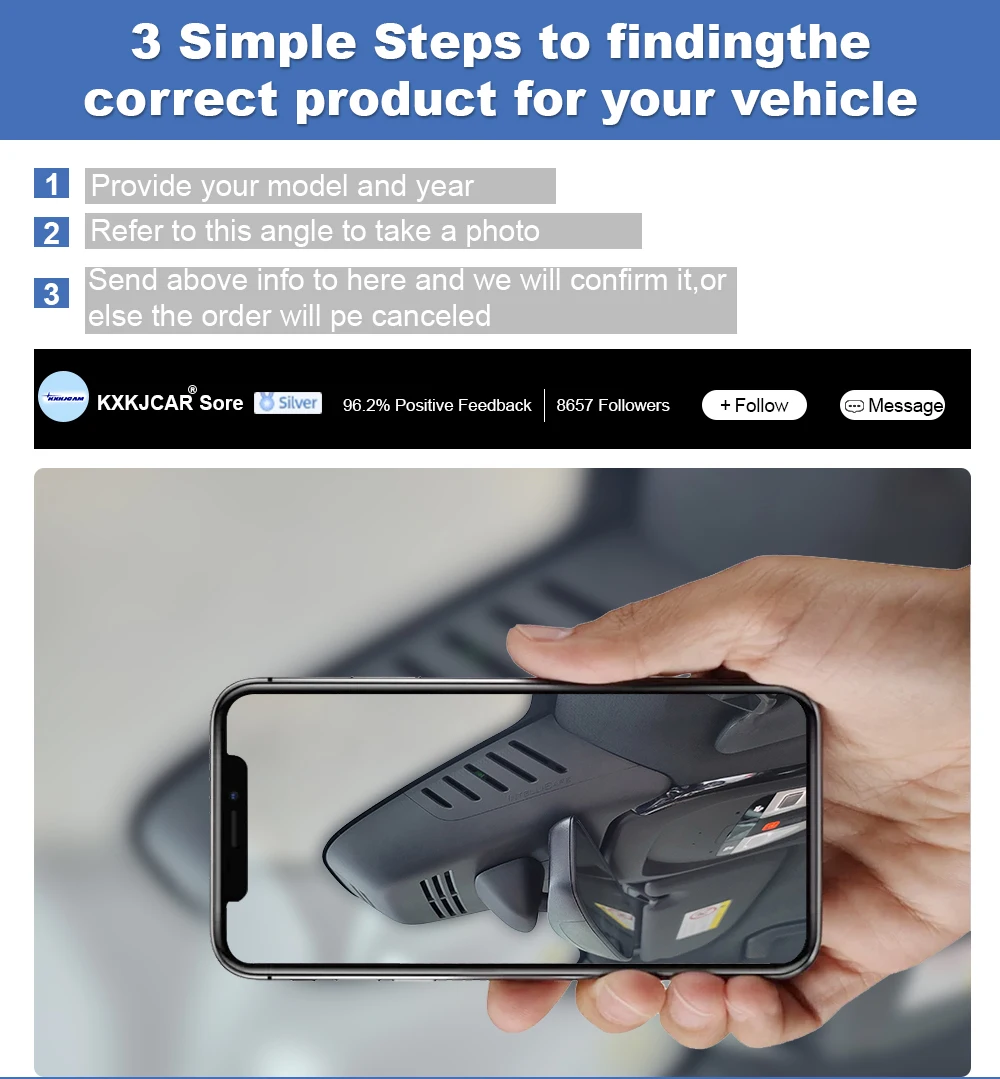
note:How to choose the right model according to your rearview mirror coverPlease contact the salesperson to send photos when buying!Reminder: Our driving recorder is customized for special vehicles.In order to avoid the mismatch between the model and the car, you need to provide the model and year at the time of purchase, and take photos of the installation location for the salesperson to verify.We will reply to your information as soon as possible from a professional perspective. Thank you for your cooperation.PS: (If you don't take photos before delivery and don't check the model year, we will send you an order to buy the product by default) If it cannot be installed after receiving the goods, all expenses will be borne by the buyer!
Warning:Please confirm before purchasing customized products.
The installation location must be the same as that in the advertisement before it can be suitable for this product.
 Before installation+after installation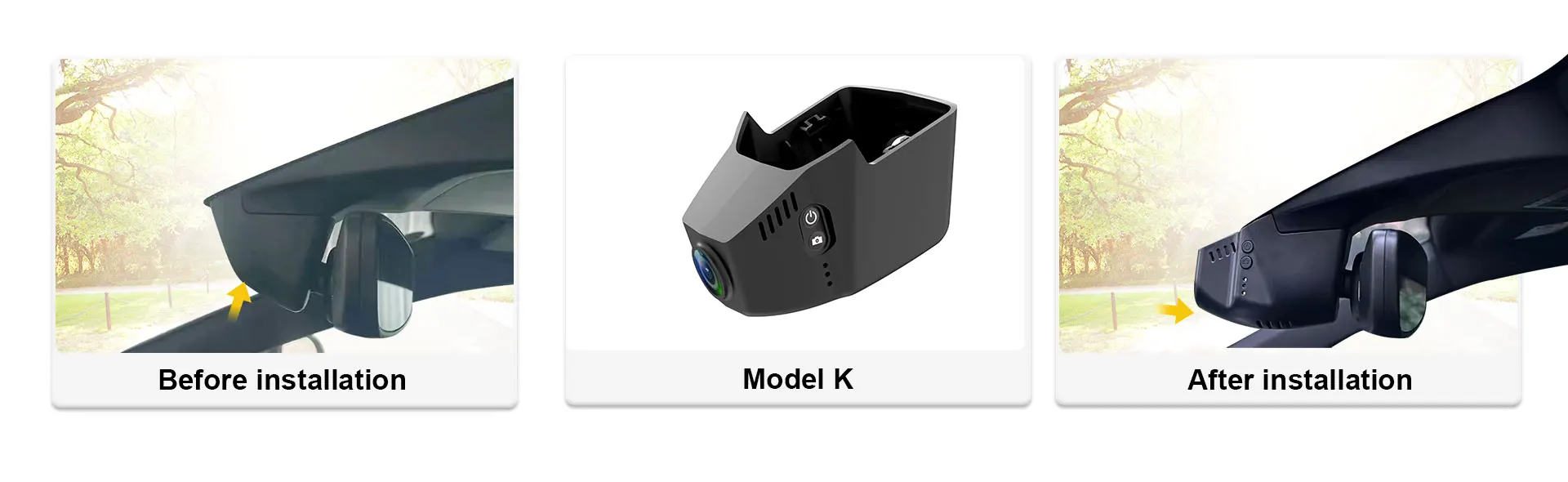
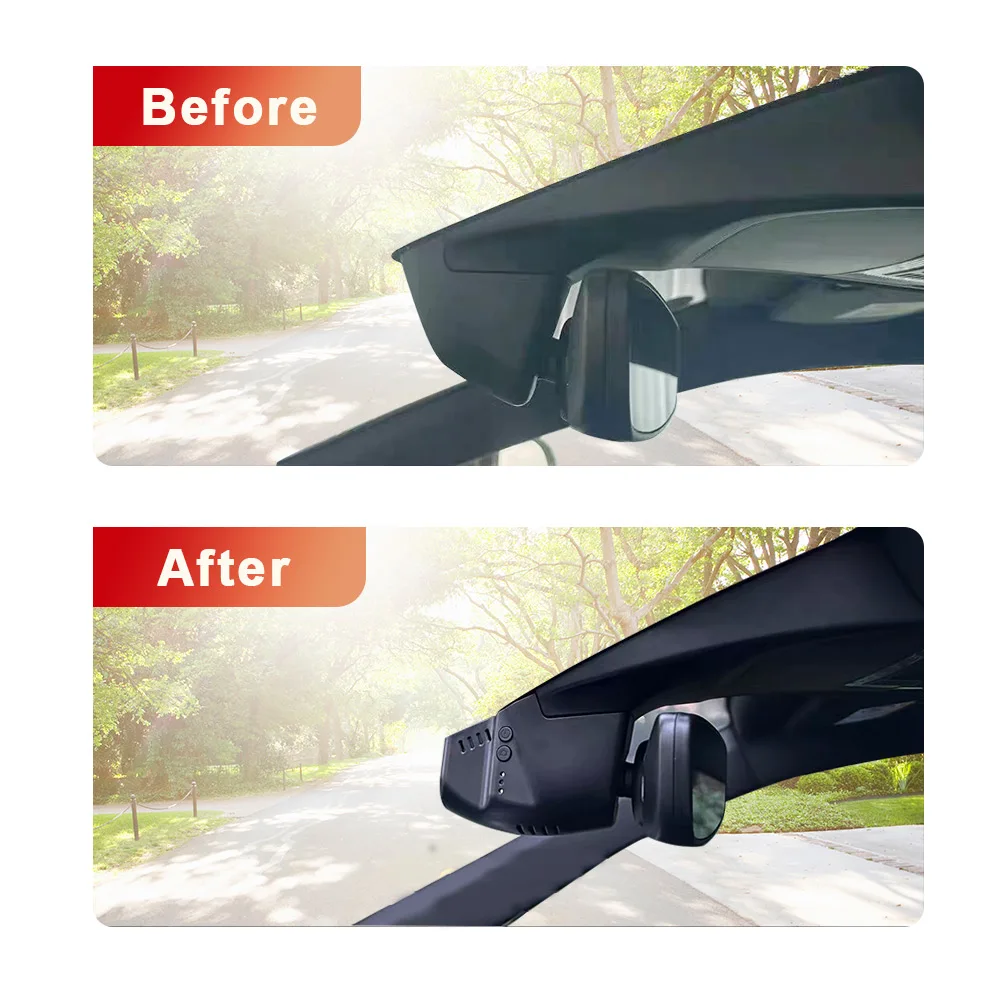
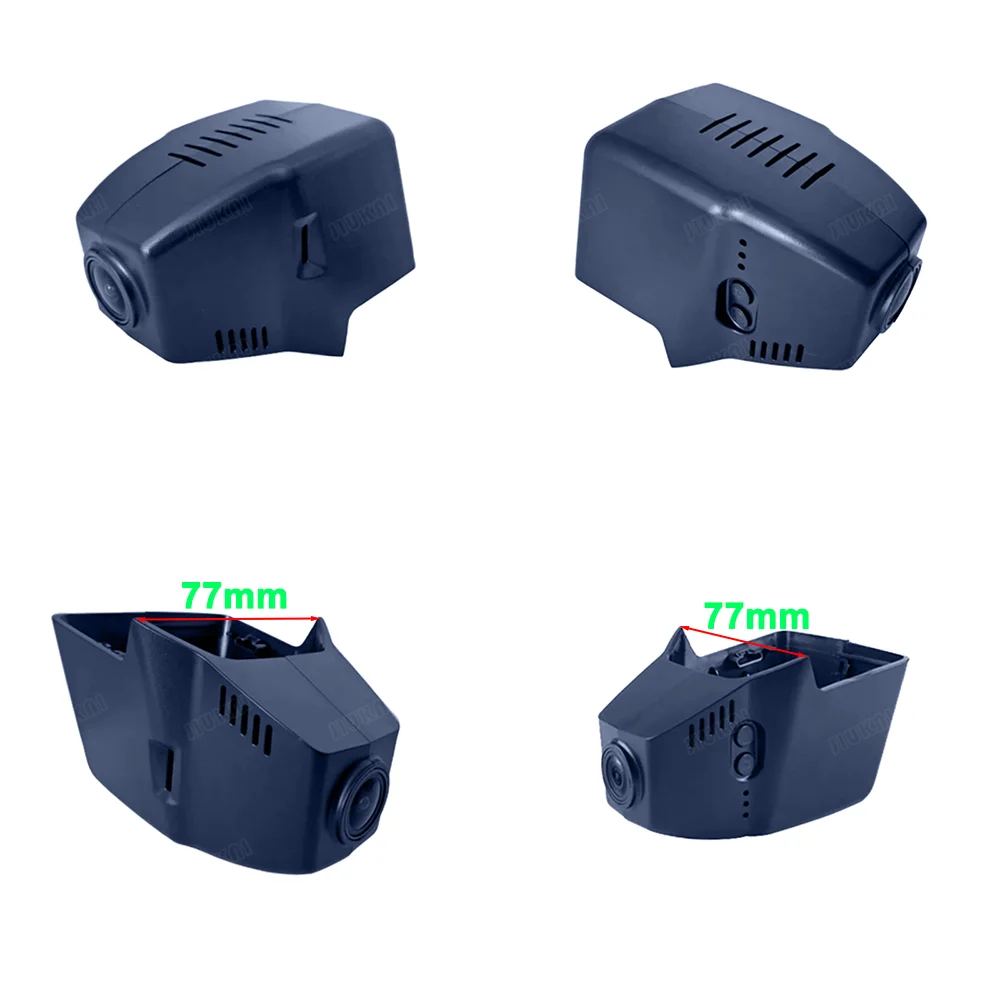
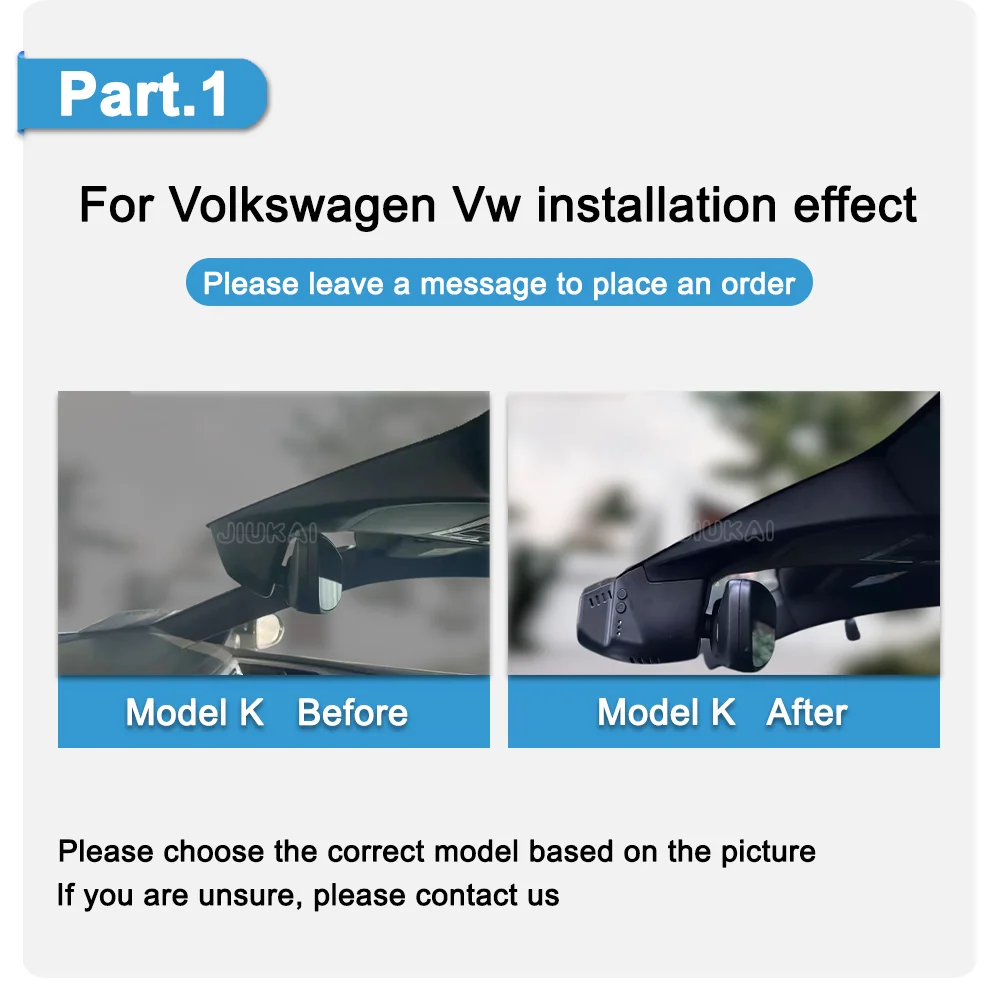
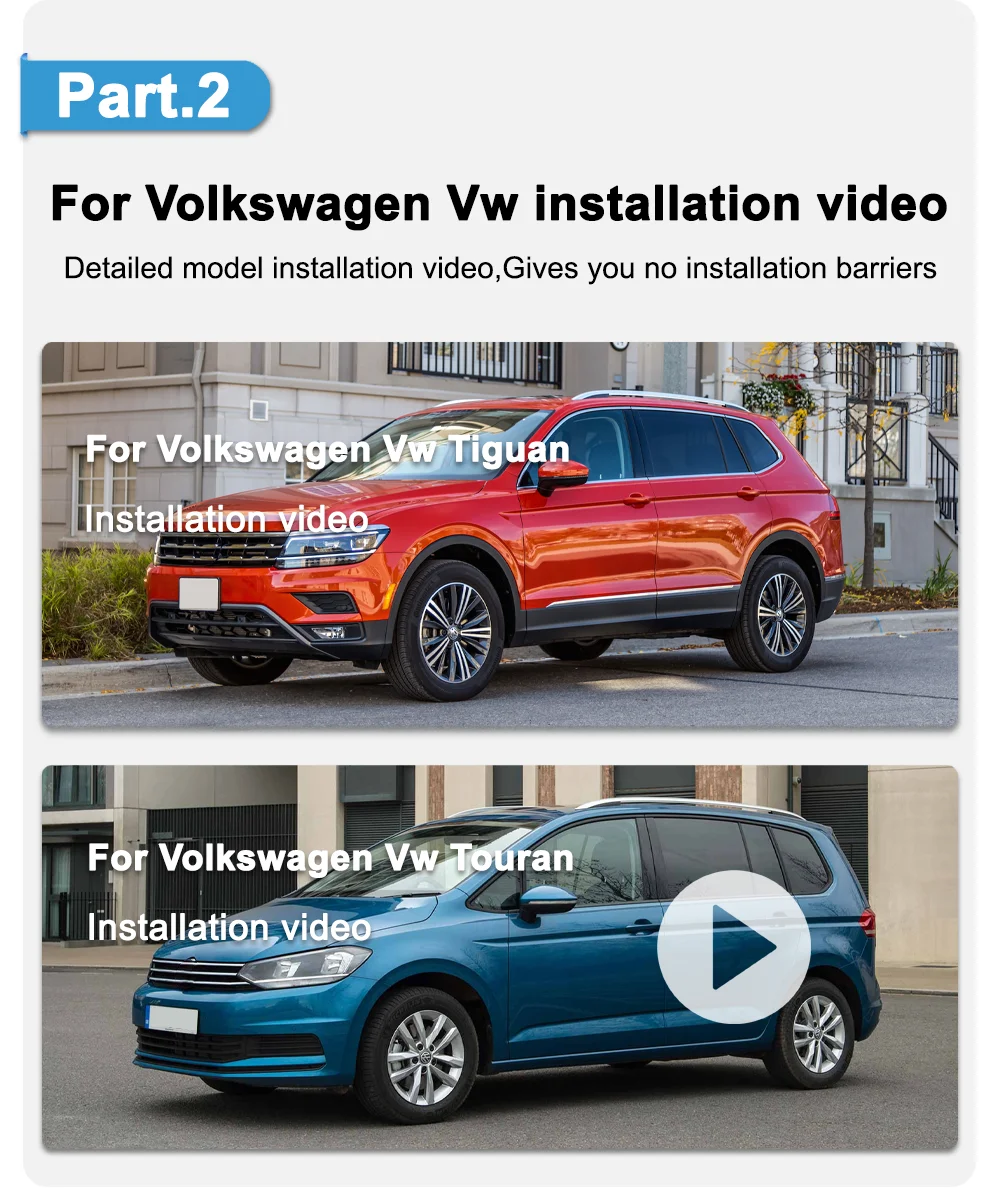
Please contact customer service for installation videos
Four kinds of power take,Lossless installation
No line breakage,no leakage,no impact on car warranty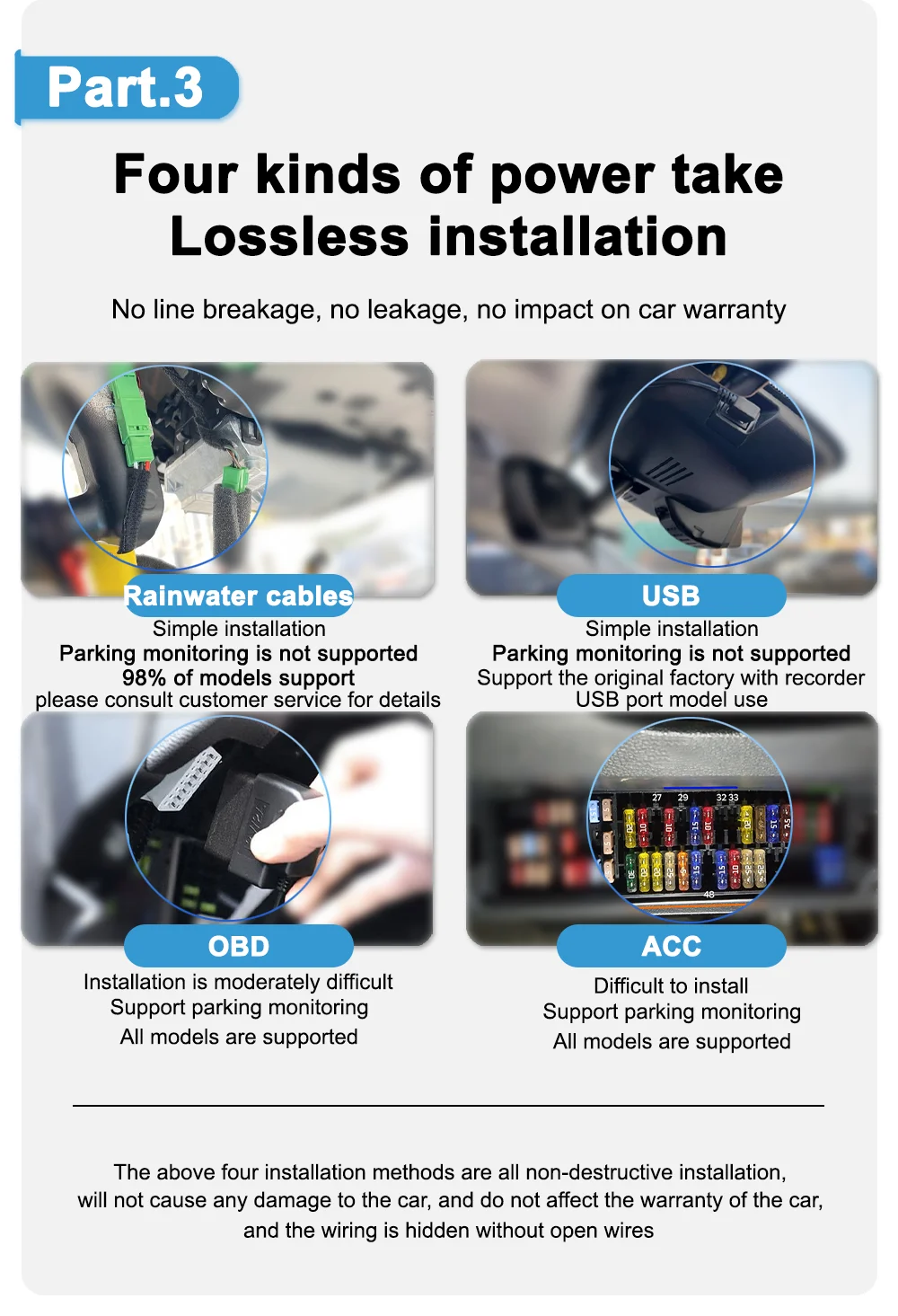 Road test real shooting effect
Real shooting,so that you can use it with confidence and watch comfortably Rainwater cable installation
Quick installation,does not affect the original car function WIFI phone connection
Built WIFI module, view video when opening mobile APP,capture pictures and other functions

One-click start automatic recording
Say goodbye to manual opening and protect driving safety 4K UHD High Resolution
It can record video up to 2160P and provide professional 30fps videocapture your driving moments and record detailed evidence. Loop recording
No manual clean-up, automatic storage detection
 Parking monitoring
24 hours a day to protect the safety of your car Dual lens recording
The field of view is wide, the recording picture is clearand the driving is safe
Standard ACC Power Cable Reference Installation Guide
Standard Acc Power Cable Reference Installation Guide:
1. Before installation
First test: the red and yellow wire harnesses of the recorder are connected to the positive electrode of the battery, the black wire is connected to the negative electrode of the battery, the indicator light of the recorder lights up, and the test is completed!
2. Installation
The red wire is connected to ACC, the yellow wire is connected to constant electricity, the black ground is connected, You need an electric pen to measure ACC and constant electricity.
(1)Turn on the engine---The indicator light of the electric pen is on, Turn off the engine---The indicator light of the electric pen is off. it is ACC.
(2) Turn on the engine---The indicator light of the electric pen is on, Turn off the engine---The indicator light of the electric pen is on. it is constant electricity.
3. After installation
The memory card needs to be formatted before use, and it must be turned off before removing the card each time (the indicator is off when the indicator is off).

Q&A
Problem 1:
Apple iphone connection failed?
Reply:
1. First, turn off the Cellular Data of the phone settings, and then connect to WiFi.
2. If the phone is connected to the car's CarPlay, you need to turn off the Bluetooth, and then connect the camera WiFi.
3. Check whether the album and network permissions of the App have been opened. (*Album permission is only used to save videos and pictures recorded by the camera into the phone album).
Android phone connection failure?
Reply: Reply:
1. After connecting to the camera WiFi, your phone may prompt that you can't access the Internet, please click "Keep Wlan Connection".
2. Close Mobile Data first and then connect to WiFi.
App cannot save settings (default settings are restored after reboot)?
Reply:
After setting the App, please press and hold the power button of the camera to turn off the camera, then press the power button briefly to turn on the camera.
APP video file is empty, no video is loaded?
Reply:
1. Please open the App settings to format the memory card and then record the video.
2. If the App album still has no video, please insert the memory card into a computer, check whether the memory card is damaged, or not compatible with the camera, if so you need to replace the memory card.
3. It is recommended to use Class10 specification SanDisk/KIOXIA/Samsung memory cards of 32GB or 64GB capacity. (Maximum size supported is 128GB)
Why doesn't my computer play the videos? Or why is the playback video not smooth?
Reply:
1. We recommend the use of PotPlayer and KMplayer players.
2. If the computer configuration is too low, it may cause the playback to not be smooth, especially for H.265 format and 4K resolution videos.
Why can't you connect 2 phones at the same time?
Reply:
WiFi only supports connecting one phone at the same time; if another phone needs to be connected, you must first disconnect the WiFi of the first phone.
Why is the timestamp of the video wrong, or there is no recorded video during some time periods, or there is video when the phone is connected, but no video when the phone is not connected?
Reply:
Please check if the timestamp error is caused by a complete power failure of the camera. After car repair, maintenance or battery replacement, you need to reconnect the camera's WiFi with your phone to synchronize the camera's time with your phone's time. Please regularly check that the camera is working properly.
What should I do if I forget the WiFi name or password?
Reply:
Press and hold the camera key for 20 seconds, or use a paperclip to press the reset button.
Do I need to connect the camera WiFi and open the App every time I drive?
Reply:
No need, the camera is automatically turned on and off. The camera will automatically turn on when the car is on and turn off when the car is off.
What should I do if I can't find the WiFi?
Reply:
1. First, remove the memory card and then search for WiFi, because memory card failure will cause the camera to have no WiFi.
2. Press and hold the camera button for 20 seconds, or use a paper clip to press the reset button. Restore factory settings.
3. Check whether the camera's light is always on. If there is no light, it means there is no power supply, then there will be no WiFi.
Shopping Policy
About Products
All dash cameras can use up to 128GB memory card.
If you already have our single front camera version installed, you cannot add our rear camera. If you buy the front and rear dual camera version, you can install the front camera and not the rear camera.
Each dash camera is equipped with 1 cable to connect the front camera by default, additional cables cost between $20 and $35,if you need them, please let us know.
All pictures are for reference only, different batches with different details, please subject to real product.
About Taxes
The item price is not including any taxes or charges locally, if the parcel get stuck at local customs, buyer need to contact the customs and do the customs clearance. We won't bear the customs taxes or any fees caused by custom or buyer reject package.
About After-sales
1.Our store provides a one-year product warranty. If the product has quality problems within one year, we wish buyers can cooperate with us to test the dash cam.We will provide you with free replacement parts. If it is confirmed that it cannot be repaired,we can replace you with a new product for free.
2.For damage caused by accident, misuse or modification, if replacement parts are required, the buyer is responsible for part cost and shipping.
3.For non-quality returns, if you prefer to get a full refund, you can apply for a return within 15 days of receiving the goods, and the buyer is responsible for the return shipping.
About Delivery
We will send the items within 5 working days after getting your payment.
We do not support modifying the receipt information after payment, please check the receipt information before paying.
About Feedback
Five-Star feedback is our expectation. We hope that you can contact us before you leave a neutral or negative feedback, so that we can help you solve the problem.

Details
This product is crafted with quality materials to ensure durability and performance. Designed with your convenience in mind, it seamlessly fits into your everyday life.
Shipping & Returns
We strive to process and ship all orders in a timely manner, working diligently to ensure that your items are on their way to you as soon as possible.
We are committed to ensuring a positive shopping experience for all our customers. If for any reason you wish to return an item, we invite you to reach out to our team for assistance, and we will evaluate every return request with care and consideration.
Shop The Full Collection


